For religious communities
The community and every congregation in one register
The congregations sit under the community, and members belong to their congregation. Congregations look after their own members, and the community sees member numbers, age and gender for the whole or one congregation at a time.
Free up to 100 members · No card needed
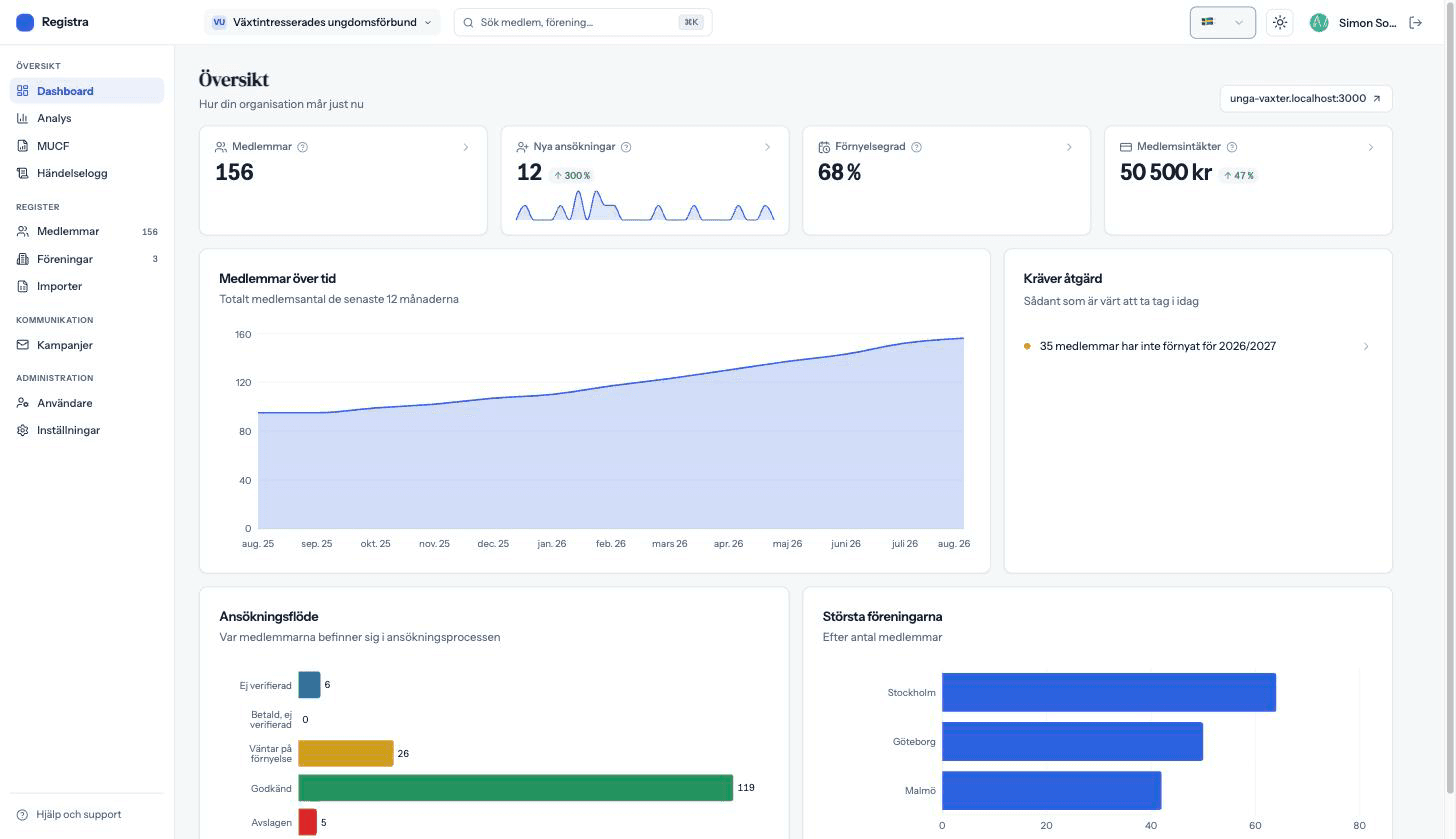
What you start with
When you create your organization you pick what kind it is, and that decides what is switched on from the start. Nothing is locked: tell us, and we switch on what is off.
- Member registerAlways included
Search, filter and export. Every change is saved with who made it.
- Applications and member portalAlways included
An application page on your address, and a page of their own where members renew and correct their details.
- PermissionsAlways included
Administrators, people responsible for one part of the organization, and read-only access for an auditor or board.
- Activity logAlways included
Who did what and when, even after the record is gone.
- CongregationsOn
Split the register into parts with their own leads and their own figures, and see everything together or one part at a time.
- Fees through StripeOn
Free, a one-off fee or automatic renewal, paid into your own Stripe account.
- Email campaignsOn
Email everyone or a selection, scheduled, with delivery shown per recipient.
- AnalyticsOn
Growth, renewal rate, revenue and demographics, for the whole organization or one part.
- ImportOn
Read in a spreadsheet and see what will be created before anything is written.
- MUCF grant figuresOff at start
The figures for the Swedish state grant to children's and youth organizations, checked against the ordinance.
- AI assistantAdd-on
Ask the register in plain language. It reads, and never changes anything.
Congregations look after their own members
A congregation lead logs in and works only in their own congregation. The community's settings, payments and emails stay central.
- Congregation leads add and edit members in their own congregations.
- Personal identity numbers are not shown to them.
- Read-only access for a board or auditor, to the whole community or some congregations.
The figures the community needs
State grants and annual reports are often based on how many members you have and who they are. Registra counts it from the register, for the community and per congregation.
- Members and growth per congregation, in a comparison table.
- Age and gender for the community or a congregation, in analytics and as an export.
- Renewal rate and new members over time.
Reach members directly
Members renew and correct their own details, and you reach them with emails.
- A member portal where members see their membership and correct their details.
- Emails to everyone or a selection, with delivery shown per recipient.
- A membership fee as a one-off payment or automatic renewal, to the community's own Stripe account.
Frequently asked questions
Can a congregation get its own login?
Yes. A congregation lead adds and edits members in their own congregation, without seeing personal identity numbers and without reaching the community's settings, payments or emails.
Why are the MUCF figures off?
MUCF's organization grant is for children's and youth organizations. If your community has a youth organization that applies for it, tell us and we switch the figures on.
Can we move the congregations' lists over?
Yes, from Excel or CSV. A column for congregation is matched to the right congregation, and you see what will be created, skipped or rejected before anything is written.
Registra for other kinds of organization
Get your member register in order
Import the list you already have and invite the board. No installation, no long contracts.